<
!
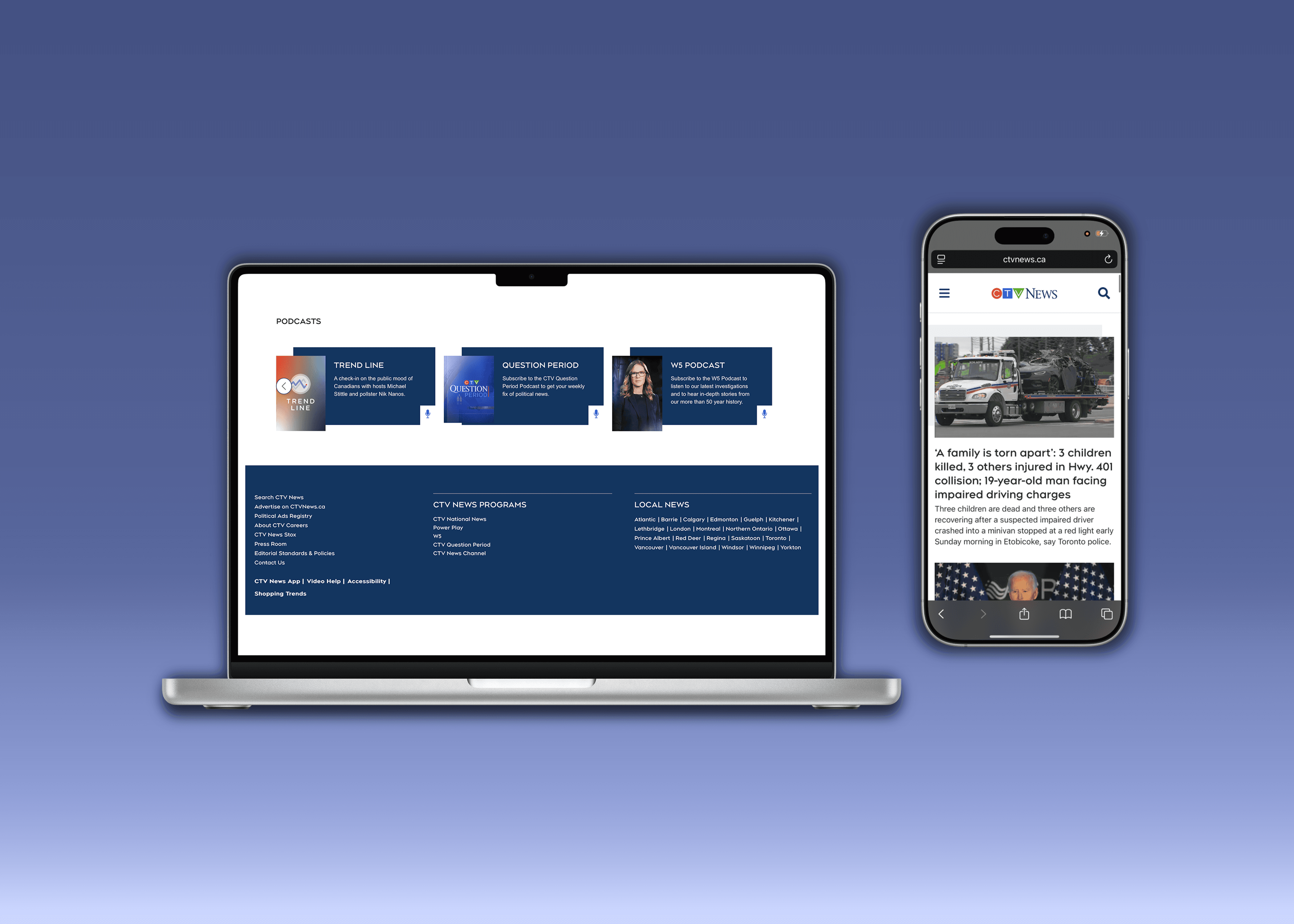
AODA and WCAG2 AA standards compliance, improving access to critical news for over 2 million weekly users.
Improved mobile responsiveness, impacting over 1.5 million weekly users.
(
Following an accessibility audit, key accessibility gaps in the site were identified, prompting the launch of a cross-team remediation initiative.
A dedicated task force was formed to bring the CTV News website into compliance with AODA (Accessibility for Ontarians with Disabilities Act) and WCAG (Web Content Accessibility Guidelines) standards within an ambitious two quarter timeline.
As part of the team, my role was to bridge design and development, applying UX insight to ensure solutions were both technically feasible and user centred.
The scale of the site, legacy code, and inconsistencies in the design patterns, made the work complex. However, this initiative presented a rewarding opportunity to elevate the overall user experience for all users.
Bringing a website with millions of weekly users up to AODA and WCAG2 AA standards within two quarters.
On a personal note: to bridge the development and design teams to ensure that accessibility fixes were both technically feasible and user centred.
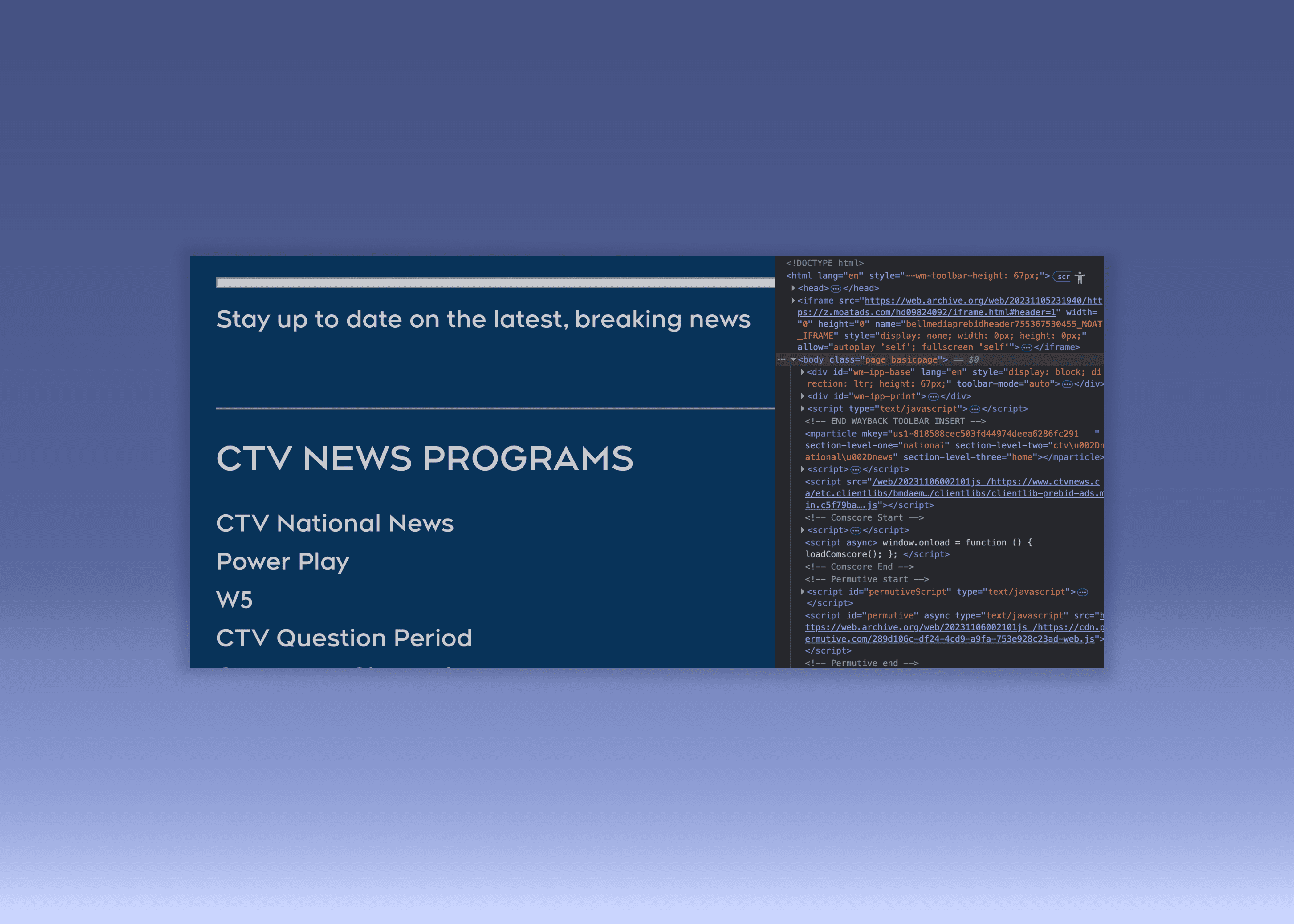
To kick off the initiative, we adopted a Scrum-based Agile approach, breaking down the work into focused, manageable sprints.
As a team, we collaborated closely to estimate effort realistically, adjust scope as needed, and pivot quickly when surprises emerged in the legacy codebase.
Regular refinement sessions and sprint retrospectives helped us stay aligned on priorities, monitor progress, and continuously improve how we worked, keeping momentum high and the process both disciplined and adaptable.
Working with a Scrum-based Agile framework, allowed us to break down the work into sprints and pivot when the scope needed to be expanded.
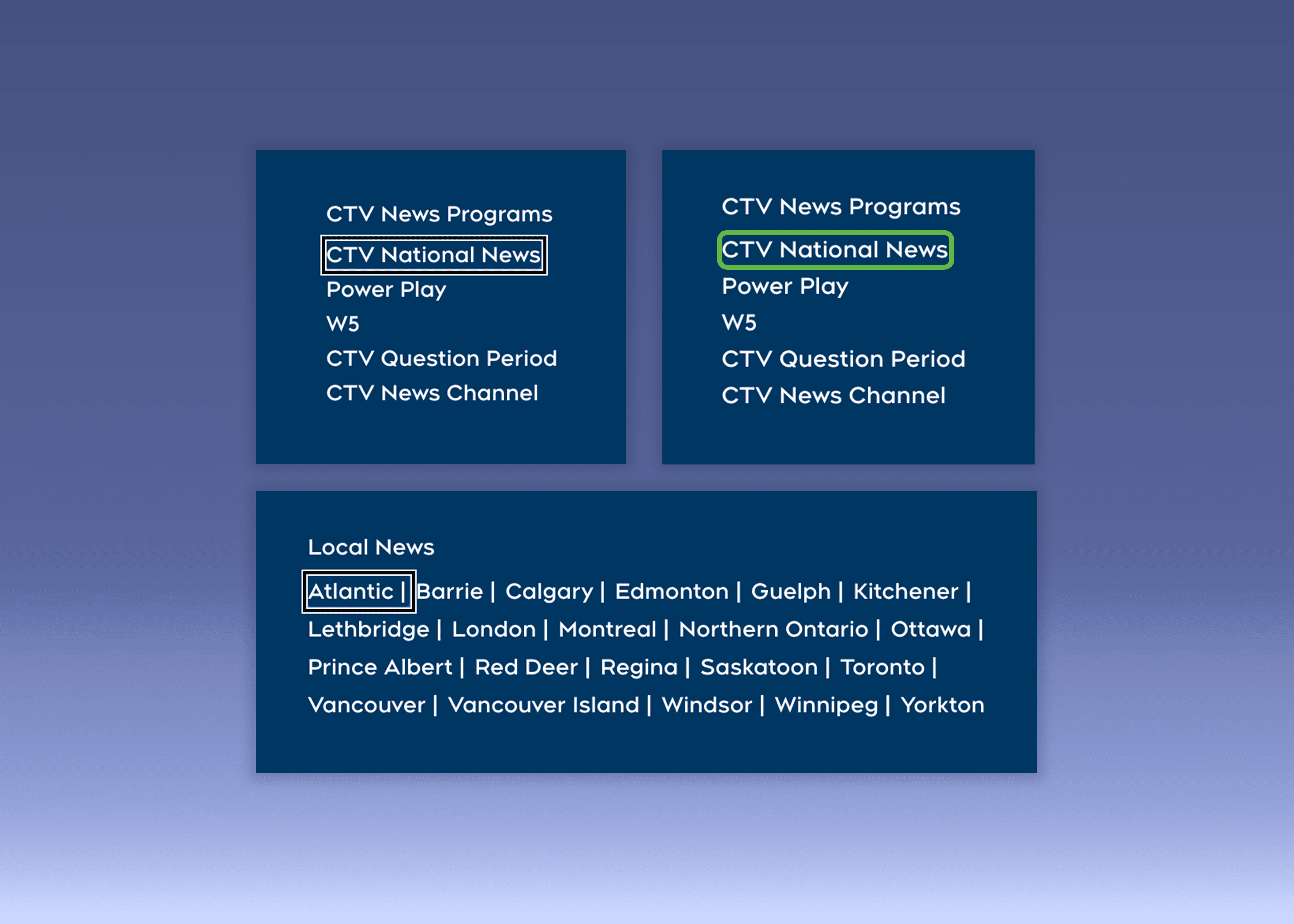
Fixing keyboard navigation issues required careful research into accessibility best practices.
Under AODA, public-facing websites must meet WCAG 2.0 AA standards, requiring all content to be fully operable by keyboard.
Users must navigate without getting trapped in elements, and clear, consistent focus indicators must show their current position on the page, both essential for a smooth, inclusive keyboard experience.
In order to achieve WCAG2 AA level of compliance the website must be operable using a keyboard, not have any keyboard traps, and have clear focus indicators.
My design background helped the team translate compliance with these standards into technical solutions.
)
USER TESTING
& DISCOVERY
We conducted usability testing with a keyboard-only user, gaining valuable insight into real-world navigation challenges.
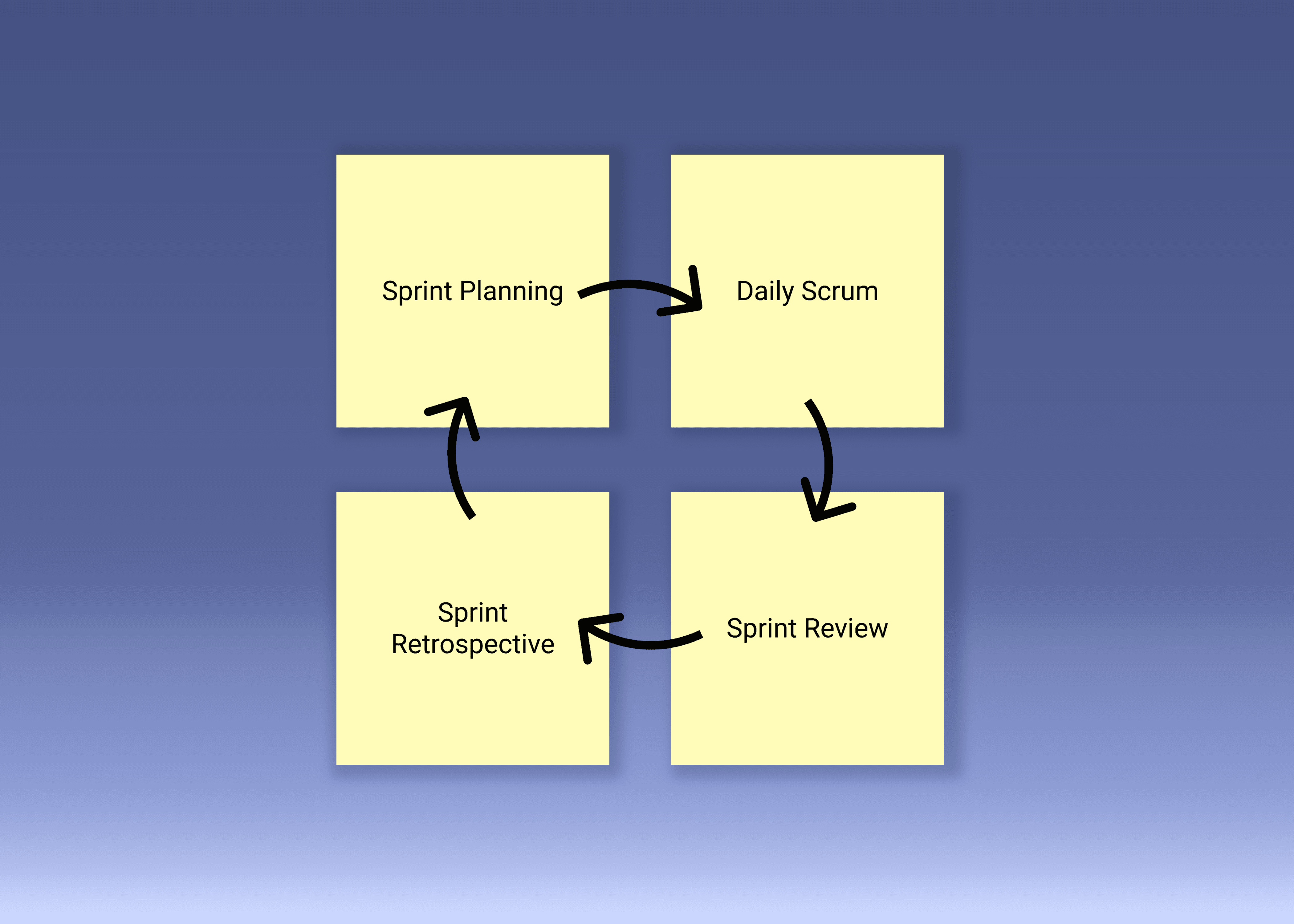
Their feedback revealed critical issues, including a footer menu that created a keyboard trap and prevented users from continuing through the site.
This finding elevated the work from a minor fix to a high-priority accessibility issue and led to my direct involvement in redesigning the footer, resulting in a meaningful improvement to both accessibility and overall usability.
The way the footer menu was designed created a keyboard navigation trap. We discovered this through user testing with a keyboard-only user.
)
CONSISTENT
SPACING
Standardized component spacing played in a key role in ensuring smooth keyboard navigation.
Inconsistencies in design patterns across the site had led to uneven focus indicators.
I worked closely with the design team to resolve this, helping create consistently spaced menus, navigation bars, and buttons that improved focus visibility and delivered a more reliable, accessible keyboard experience
I collaborated closely with the design team to ensure menus, navigation bars, and buttons, were spaced consistently, enabling smooth focus indicator navigation.
)
HEADING
STRUCTURE
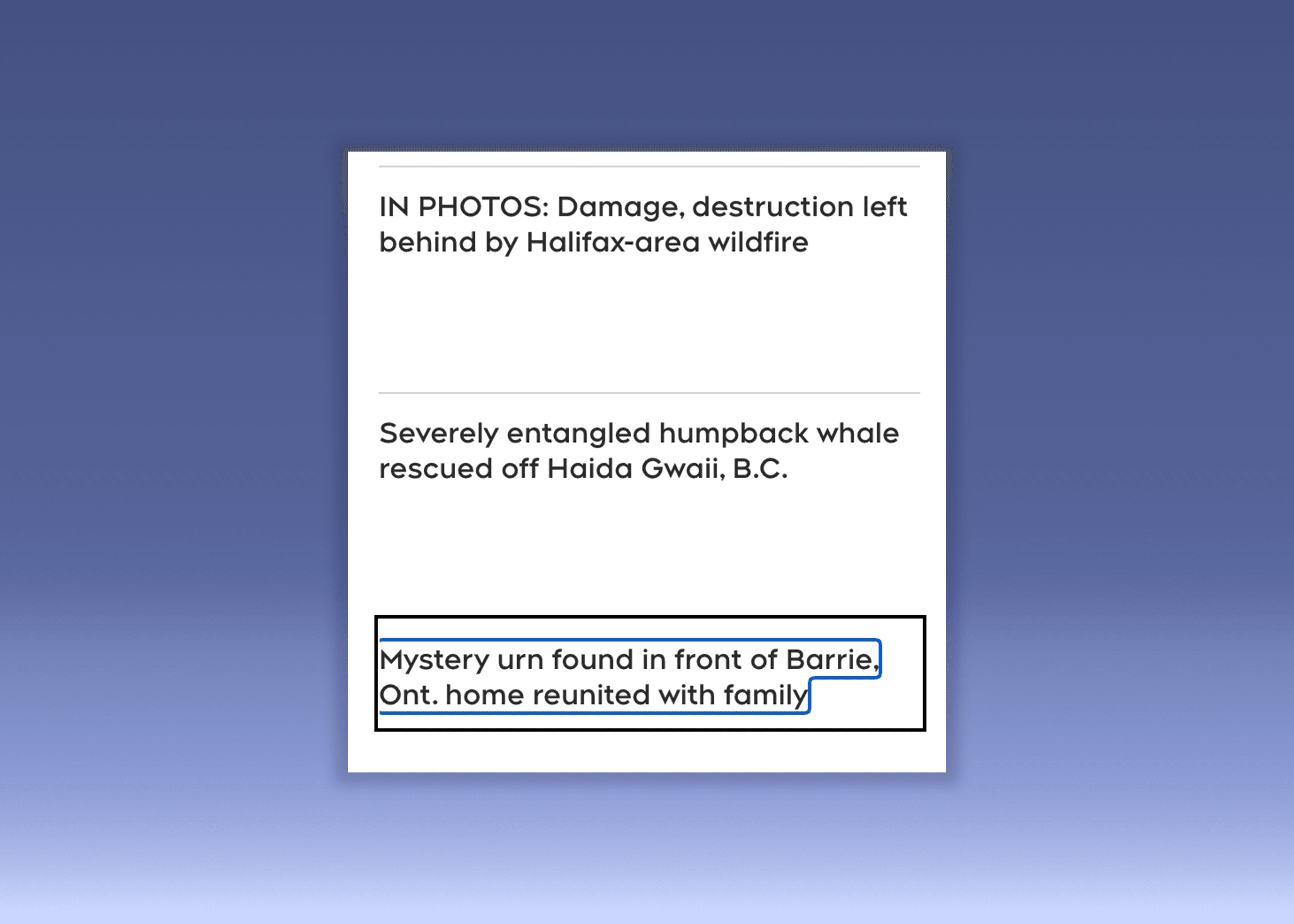
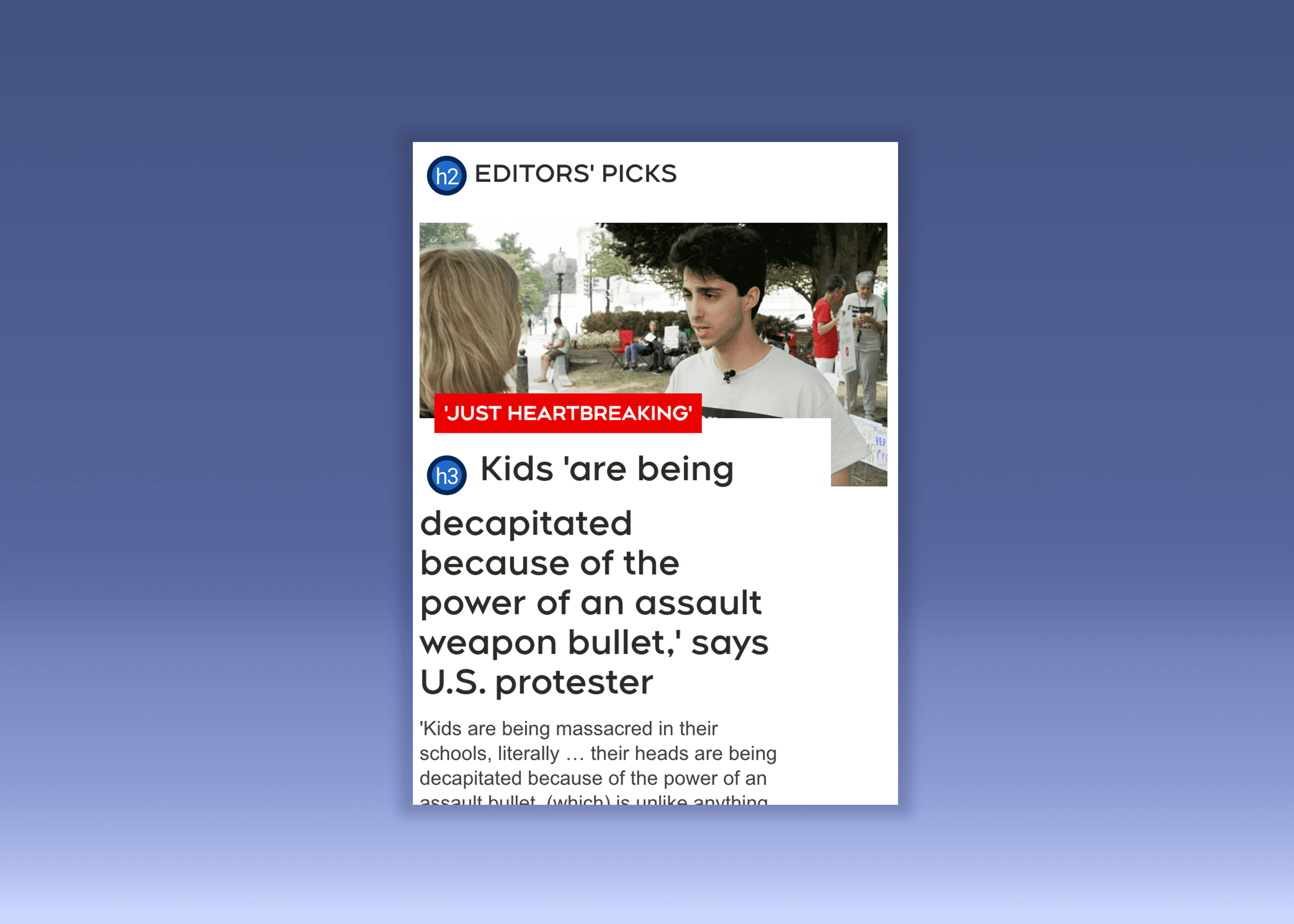
I worked to establish a consistent header hierarchy across the site, including limiting pages to a single H1.
While not a strict requirement, user testing showed it improved navigation flow.
After advocating to stakeholders and leadership, we were approved to proceed.
What began as a simple fix revealed deeper issues tied to legacy code, requiring collaboration with back-end developers and demonstrating the team’s ability to pivot and expand scope when needed.
I worked to ensure logical heading nesting structure site-wide. This involved eliminating duplicate H1 tags. while not a strict requirement, user testing confirmed its impact.
(
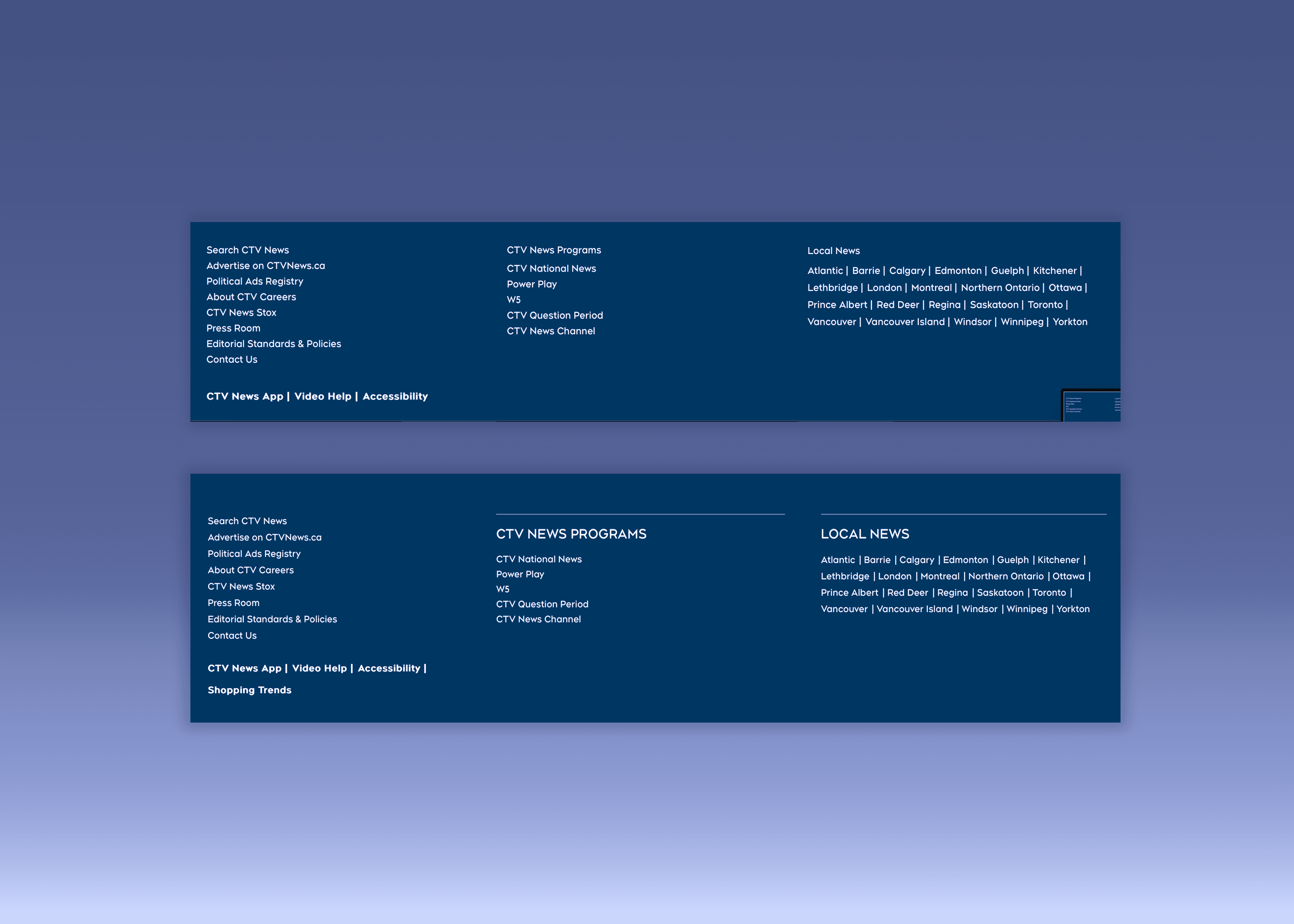
User testing showed that the footer menu required more changes than initially scoped.
The existing design lacked a clear heading hierarchy, was not mobile responsive, and relied on inconsistent HTML structures that made keyboard tabbing unpredictable and confusing.
These issues created accessibility barriers but also revealed a clear opportunity to improve the footer’s usability overall.
User testing confirmed the scope of work on the footer menu needed to be expanded.
The old version lacked a clear information hierarchy, wasn’t mobile responsive, and was built on inconsistent HTML structures that made tabbing unpredictable and confusing.
)
INFORMATION
HIERARCHY
Drawing on my design background, I proposed a clearer information hierarchy for the footer to better support user needs and address accessibility blockers.
Collaborating closely with the design team, I helped refine the layout to maintain brand consistency, visual cohesion, and responsiveness across devices.
This approach ensured that accessibility improvements were seamlessly integrated, resulting in a footer that was both functional and aligned with the site’s overall user experience and design standards.
Drawing on my design background, I proposed a clearer information hierarchy that better supported user needs while resolving accessibility blockers.
)
MOBILE
RESPONSIVE
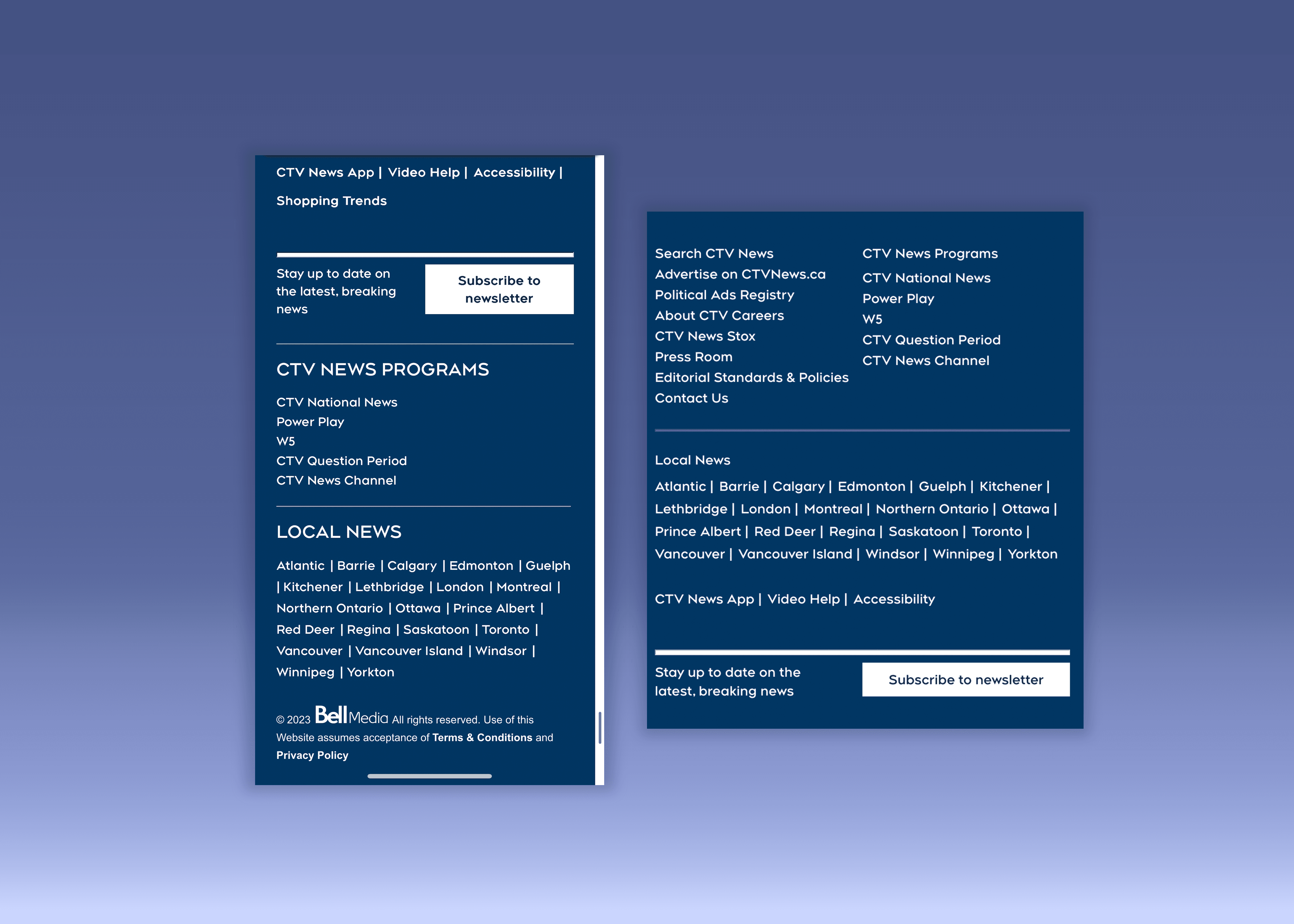
The footer’s structure hindered keyboard navigation and was not mobile responsive.
This created an opportunity to improve the overall user experience of the site for mobile users.
I advocated for the increased scope for the ticket to include enhancing mobile responsiveness.
Highlighting how improving the overall design of the footer delivered a more usable, responsive, and accessible experience for all users.
I advocated for the increased scope for the ticket to include enhancing mobile responsiveness.
Highlighting how improving the overall design of the footer delivered a more usable, responsive, and accessible experience for all users.
(
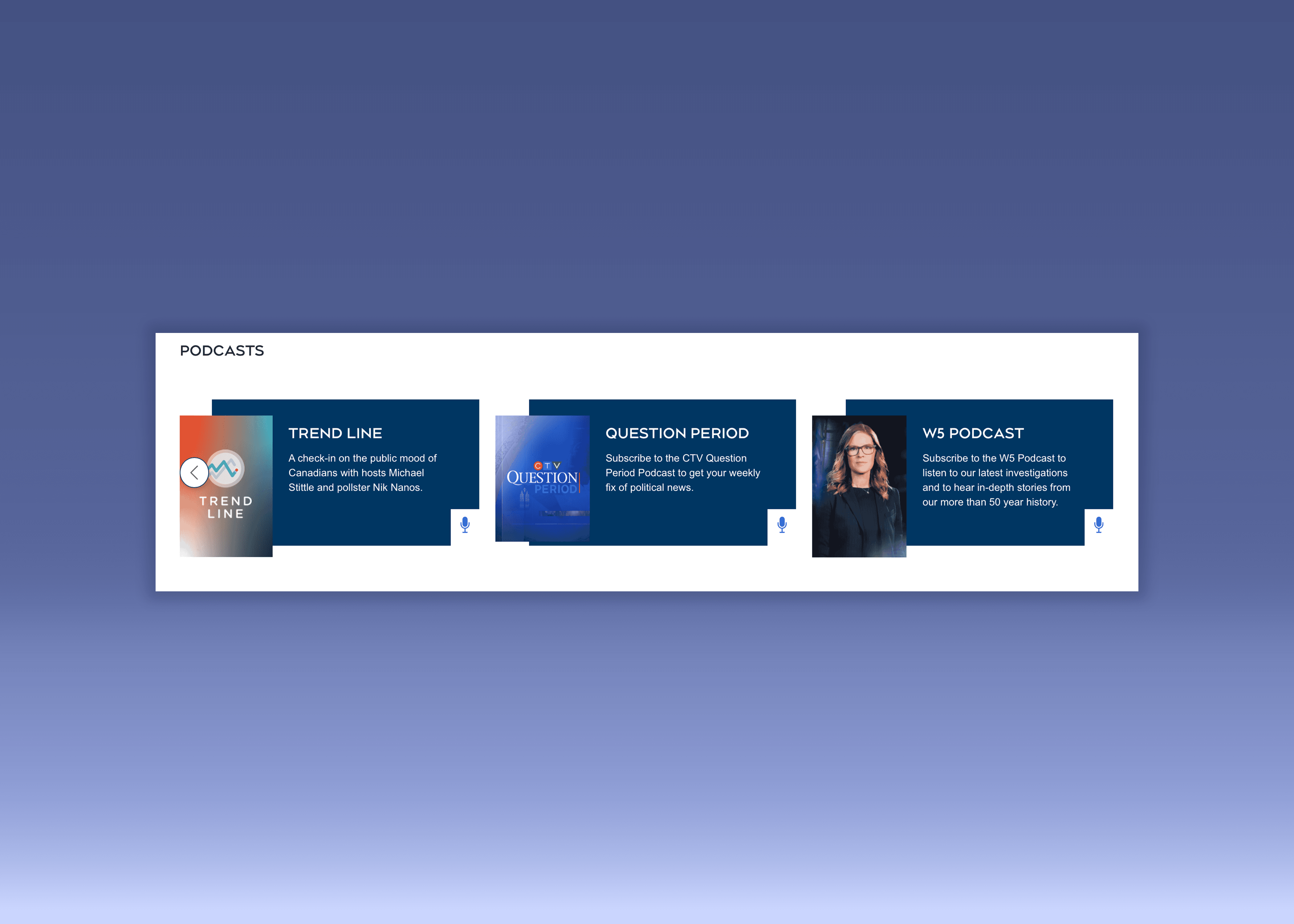
Rotators showcased key news content but relied on outdated JavaScript that hindered keyboard navigation.
I migrated them to Swiper, a modern, mobile-friendly library, improving responsiveness, touch interaction, and overall usability. I also added clear visual cues to indicate more content, ensuring users on mobile or using keyboards could navigate rotators easily.
These updates enhanced accessibility, user engagement, and the overall experience across devices.
Rotators were a recurrent component that used an outdated JavaScript library. This made them difficult or impossible to navigate with a keyboard.
While working to address accessibility concerns, to make them mobile responsive and added clear visual cues to improve their usability.
)
MIGRATION TO
SWIPER
I migrated the site’s rotators to Swiper, a modern JavaScript library built for mobile-first interaction.
Swiper supports touch gestures, smooth transitions, responsive layouts, and accessibility features like keyboard navigation and screen readers.
Replacing the outdated library improved performance, consistency, and user engagement across devices, ensuring a seamless, intuitive experience for all visitors while enhancing accessibility and mobile usability.
I worked to migrate the rotators to Swiper, a modern JavaScript library optimized for mobile interaction.
)
ADDING
VISUAL CUES
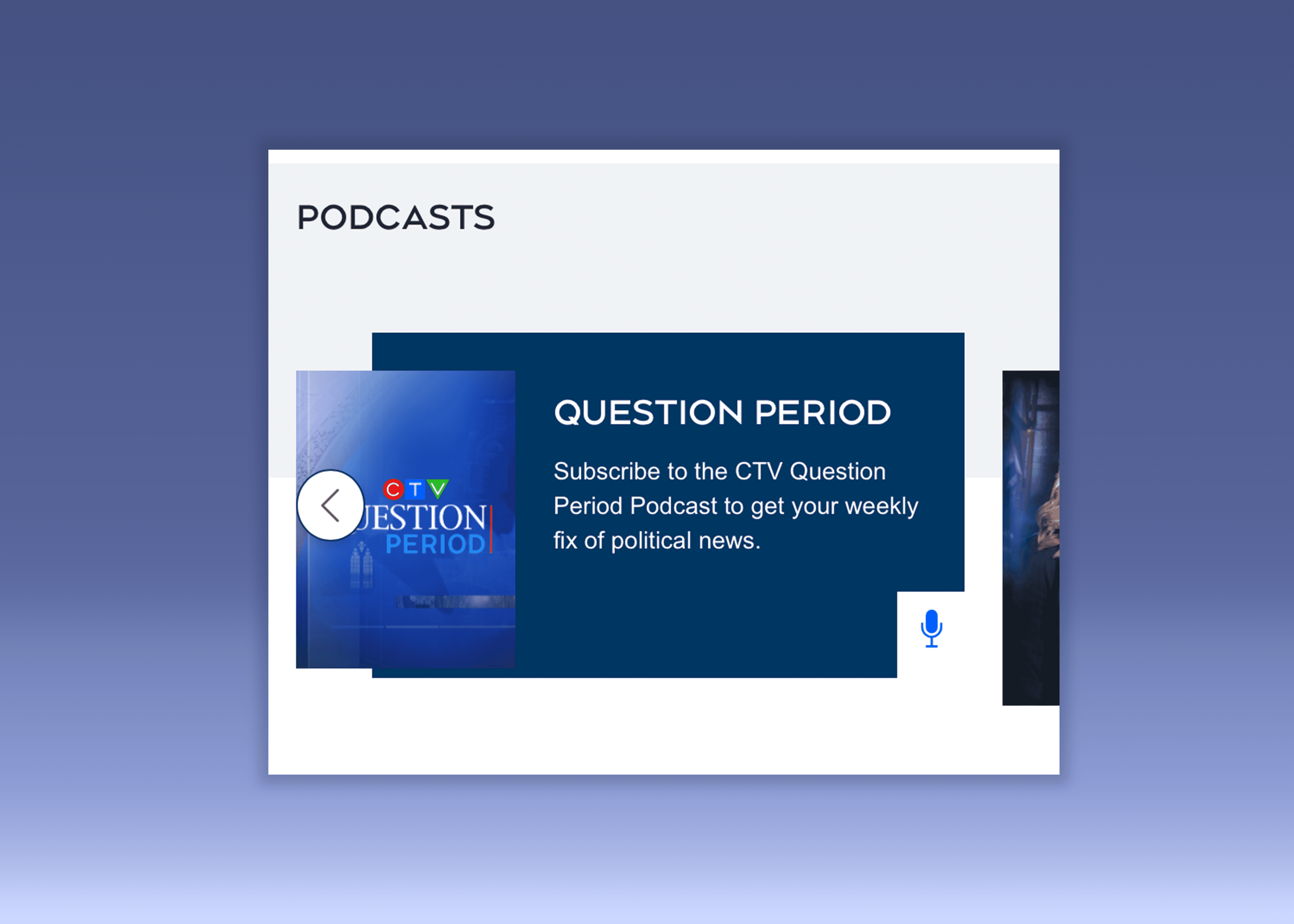
Along with the design team we introduced navigation arrows.
This added redundancy that improved usability and guaranteed users could access critical content they could have otherwise missed.
My design background guided these decisions, helping bridge technical implementation with user-centered thinking.
The work done on a rotators exemplifies how designing and building with accessibility in mind benefits all users.
The work done on a rotators exemplifies how designing and building with accessibility in mind benefits all users.
Adding navigation buttons created redundancy, which allows all users to access critical content they could have missed otherwise.
!
A site with roughly 2 million (1) weekly users is now AODA and WCAG2 AA compliant, allowing people with disabilities to access critical news content.
In Canada, 7.4% of adults report a seeing disability, 5% a dexterity disability, and over 40% of those over 60 have a disability (2).
With Canadians over 60 projected to reach 20% of the population by 2030 (3), these updates ensure the site remains usable and inclusive for a growing portion of users for years to come.
A site with roughly 2 million weekly (1) users is now AODA and WCAG2 AA compliant.
About 7.4% of Canadian adults report a seeing disability and 5% a dexterity disability, representing millions of potential users (2) .
Additionally, 40% of Canadians aged 60 and over live with a disability (2). As this population continues to grow, these improvements ensure the site remains usable and inclusive for years to come.
!
(4) Comscore. (2024) Year In Review.
With the enhancements and responsive redesigns, the site is now much more usable for mobile users.
Given that Canadians now spend a majority of their online time on mobile devices at 66% of their online time. () The improvements make it easier for people to news on phones or tablets.
!
Beyond benefiting people with disabilities, the accessibility and usability upgrades improved the overall experience for all users.
Clear structure, better navigation, and responsive design make the site easier to use whether someone is using a mouse, keyboard, touchscreen, or a mobile device.
This highlights how accessibility best practices contribute to a better user experience for everyone, not just a subset of users.
Accessibility best practices contribute to a better user experience for everyone, not just a subset of users.